AI Writer Checker Showdown: Turnitin, Grammarly, QuillBot and More
Author:Ashely
Released:November 28, 2025
Submitting a critical paper or a high-stakes blog post today feels like walking through a minefield. With "AI anxiety" at an all-time high, getting falsely flagged for AI generation can be a reputation-killer. Utilizing a reliable AI writing checker is no longer an optional "extra"—it’s your digital insurance policy.
I’ve spent weeks stress-testing the industry’s biggest names so you don’t have to guess which one has your back. Here is the lowdown on the market leaders and some hidden gems you should know about.

1. The Heavy Hitters: Detailed Comparison & Field Notes
Turnitin: The "Final Boss" of Academia
If you are a student, Turnitin is the formidable gatekeeper you’ll eventually face. It doesn't just scan for plagiarism; its AI detection model is trained on a massive dataset of student writing and professional journals.
The Experience: It’s clinical and intimidating. Unlike other tools, Turnitin provides a "probability score." During my testing, I found that even a 15% score can trigger a manual review by a professor.
The Data: Turnitin claims a 98% confidence rate in detecting AI-generated text. Crucially, they report a false positive rate of less than 1% for documents with over 300 words.
The Verdict: It’s the gold standard for accuracy but frustratingly opaque. Since it’s usually gated behind university logins, you often can't see your results until after you've submitted.
Grammarly: The User-Friendly Shield
While Turnitin serves the institution, Grammarly serves the writer. It has pivoted from a simple spell-checker to a sophisticated AI writing assistant.
The Experience: Using Grammarly feels like having a supportive editor. When it flags "AI-sounding" text, it doesn't just slap a red mark on it; it suggests stylistic changes to make your prose more "human."
The Data: Grammarly’s detection is part of their "Authorship Signal" feature. In independent benchmarks, it tends to be more "forgiving" than Turnitin, which is great for creative writers but risky for students trying to bypass strict academic filters.
The Verdict: Perfect for daily polishing. It’s the best for ensuring your work is human in quality, not just in origin.
QuillBot: The "Refinement" Specialist
QuillBot is unique because it’s an ecosystem. It’s a paraphraser, a grammar checker, and an AI detector all in one.
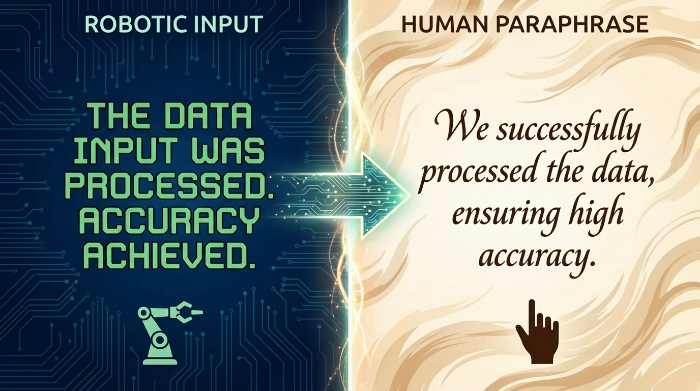
The Experience: It’s the most "interactive" tool. If the AI detector flags a paragraph, you can send it straight to the "Paraphraser" to rework the flow. This synergy makes it a favorite for non-native English speakers who want to smooth out stiff, robotic phrasing.
The Data: In my side-by-side tests, QuillBot was highly effective at catching "pure" ChatGPT output, but its accuracy dropped when the text was heavily edited or "spun."
The Verdict: Best for the "iterative" writer. It helps you fix the problem, not just identify it.
2. The Specialist Tools: Winston & GPTZero
Winston AI
A secret weapon for web publishers and educators dealing with diverse content formats. Its standout feature is OCR (Optical Character Recognition), which allows it to scan text from images, handwritten notes, or scanned PDFs—content that standard AI detectors usually miss.
Users on forums report that Winston is particularly useful when verifying archived student submissions or converting printed reports into digital text for AI checks. The tool also provides detailed probability scores and batch scanning options, making it efficient for larger projects.
GPTZero
Acts as a “forensic specialist.” It analyzes text using two key metrics: Perplexity (text complexity) and Burstiness (variation in sentence structure). Human writing tends to be naturally chaotic and “bursty,” while AI-generated content often follows monotonous, predictable patterns.
Educators and academic editors rely on GPTZero as a raw, mathematical “second opinion” to confirm or challenge flags raised by broader tools. Many users recommend running GPTZero alongside Grammarly or QuillBot to get both stylistic insights and forensic verification, ensuring a more complete picture of content authenticity.
3. Other Tools Worth Your Time
Before we get to the choice guide, here are three newer players making waves:
Originality.ai: Built for SEOs and content marketers; aggressive AI and plagiarism detection often flags paraphrased or subtly AI - generated text with high sensitivity, making it popular for professional publishing workflows.
Copyleaks: Known for enterprise - level security and plagiarism + AI detection, now even expanding into image AI detection; reliable for cross - checking content integrity in academic and corporate use.
Sapling AI: Lightweight AI detector with a Chrome extension that checks content in real time; often praised for ease of use and sentence - level highlighting, though some users note mixed results on nuanced text.
ZeroGPT: A free AI detector that provides percentage scores and highlighting without login or word limits, useful for quick scans across long content.
Writer.com AI Detector: Simple, free tool meant for quick authenticity checks; good for short drafts but less detailed than premium options.
Content at Scale AI Detector: Offers a pattern - based human vs AI score free of charge, though it doesn’t handle plagiarism.
Crossplag AI Detector: Supports multilingual detection and plagiarism analysis alongside AI scoring, good for academic and global teams, though free usage requires credits.
4. How to Choose the Right AI Writing Checker
Choosing a tool depends on your "Mission Profile." Use this checklist to decide:
The Student/Researcher
Priority: Academic safety.
Top Choice: Turnitin (via university) or GPTZero (for a pre-submission "sanity check").
Why: You need to align with the same metrics your professors use.
The Professional Content Creator
Priority: Efficiency and flow.
Top Choice: Grammarly or QuillBot.
Why: You need detection integrated into your workflow so you can fix issues on the fly without switching tabs.
The Web Publisher/SEO
Priority: Avoiding Google penalties.
Top Choice: Winston AI or Originality.ai.
Why: These tools are tuned to detect the specific patterns of "AI-spun" web content that search engines might de-rank.
The Budget-Conscious
Note: Free versions often use outdated "Lite" models. If your career or degree is on the line, the $10–$20/month for a pro tier is a small price for a significantly lower false-positive rate.
Secure Your Digital Integrity
At the end of the day, these tools shouldn't make you paranoid; they should give you confidence. Whether you’re using the institutional rigor of Turnitin or the creative flexibility of QuillBot, the goal is the same: ensuring your voice remains undeniably yours.
Pick one tool that fits your daily routine, learn its quirks, and use it to verify your final drafts. Submit your work, hit send, and sleep easy.